
Shopify Sales Optimization Workflow for Higher Conversion
More than half of American Shopify stores miss out on valuable sales simply from ineffective design and unused features. Facing the fast pace of global ecommerce, many store owners worldwide feel anxious about adopting AI tools or running A/B tests without expert support. If you want a simple, automated path to better results without technical stress, this guide explores step-by-step strategies that make advanced testing and data-driven improvements accessible to every shop owner.
Table of Contents
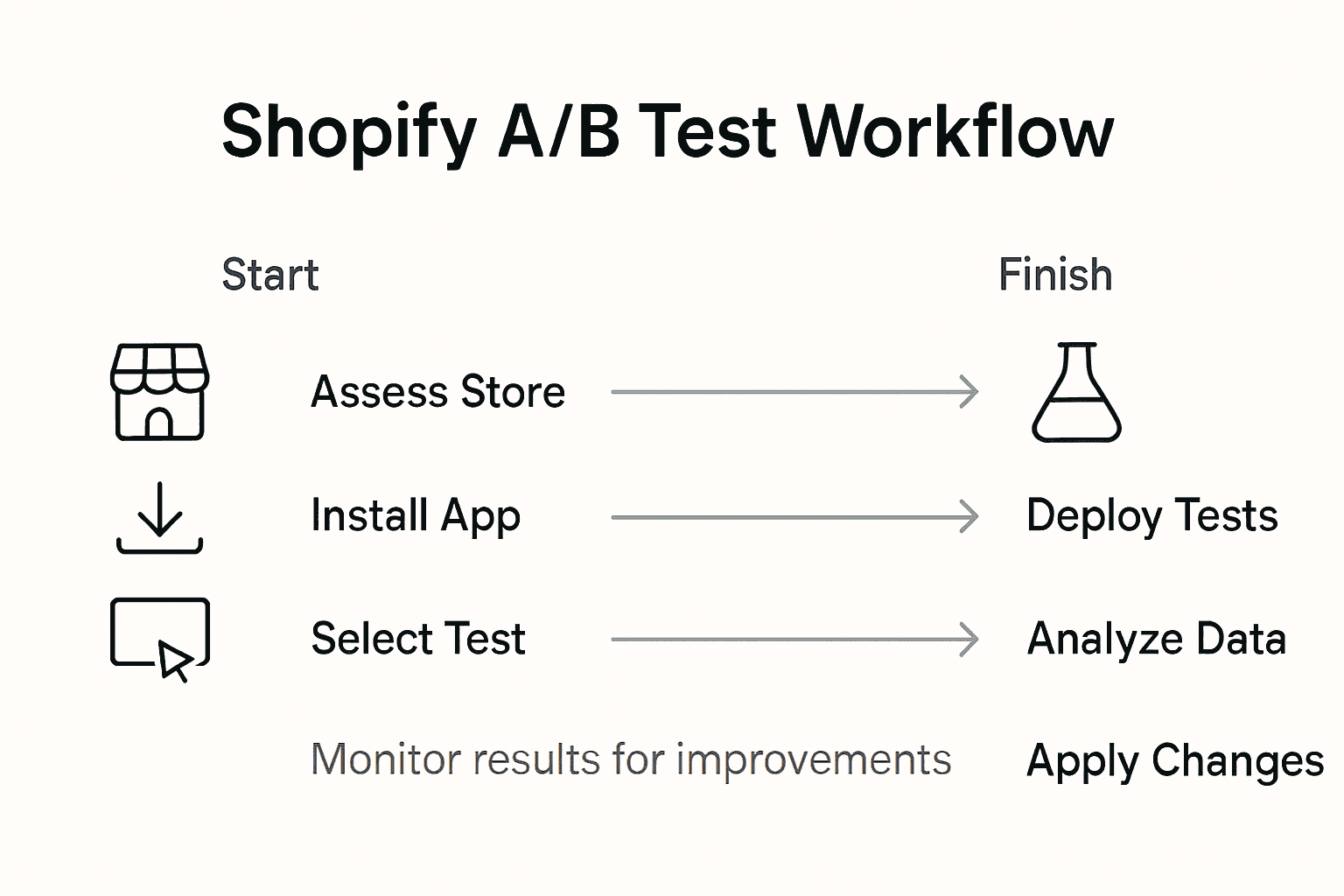
- Step 1: Assess Store Readiness And Install Automagic.li
- Step 2: Select High-Impact A/B Tests From The Library
- Step 3: Customize Test Variations Using Ai Recommendations
- Step 4: Deploy Automated Tests Across Your Shopify Store
- Step 5: Analyze Results And Implement Proven Improvements
Quick Summary
| Key Insight | Explanation |
|---|---|
| 1. Assess Store Readiness | Evaluate performance metrics and digital systems for AI integration readiness. |
| 2. Choose High-Impact Tests | Select A/B tests that maximize potential improvements based on statistical backing. |
| 3. Utilize AI Recommendations | Implement AI-generated customizations for test variations to enhance conversion rates. |
| 4. Configure Automated Tests | Launch A/B tests by segmenting traffic to gather reliable data without disrupting performance. |
| 5. Analyze and Implement Changes | Review test results, deploy successful variations, and document changes for future reference. |
Step 1: Assess store readiness and install Automagic.li
Preparing your Shopify store for advanced conversion optimization requires a strategic assessment of your current digital infrastructure. The goal is to determine your store’s readiness for implementing AI-powered testing and performance improvements.

Start by conducting a comprehensive diagnostic of your store’s current capabilities. This involves analyzing key performance indicators like current conversion rates, average order value, and user experience metrics. Digital readiness frameworks from international trade assessments suggest examining multiple ecosystem components such as payment systems, user interface design, and technical integrations before implementing advanced optimization tools.
To install Automagic.li, navigate to the Shopify App Store and search for the platform. Click the install button and grant the necessary permissions for the app to analyze and run tests on your store. During installation, you will be prompted to connect your store and provide basic analytics access. The platform will automatically scan your existing design and generate initial test recommendations tailored to your specific store layout and product categories.
Here’s a comparison of key store readiness factors and their business impact when preparing for advanced conversion optimization:
| Readiness Factor | Description | Business Impact |
|---|---|---|
| Payment Systems | Secure, diverse payment options | Improves trust, increases sales |
| User Interface Design | Intuitive, responsive layout | Enhances customer experience |
| Technical Integrations | Seamless connection of tools | Enables automation, reduces errors |
| Analytics Capability | Reliable data collection | Supports informed decisions |
Pro Tip: Allocate at least 2 weeks of initial data collection before making significant changes to ensure Automagic.li generates the most accurate optimization suggestions.
Step 2: Select high-impact A/B tests from the library
Now that you have installed Automagic.li, you can explore its comprehensive library of pre-configured A/B tests designed to maximize your Shopify store’s conversion potential. The goal is to strategically select tests that will deliver the most significant improvements to your store’s performance.
Advanced A/B testing methodologies recommend focusing on tests that target core user interactions, visual elements, and critical workflow processes. Automagic.li simplifies this selection by categorizing tests based on potential impact and statistical confidence. Browse through the library and pay attention to the provided metrics such as estimated conversion lift, test complexity, and recommended implementation time. The platform offers a range of tests covering different aspects of your store including product page layouts, checkout processes, call to action buttons, and pricing display strategies.
When selecting tests, prioritize those with the highest potential impact and lowest implementation complexity. Look for tests with clear statistical backing and those that align closely with your specific store design and product categories. The Shopify A/B Testing Basics Guide can provide additional context for understanding how to interpret these test recommendations effectively.
Below is a summary of common A/B test types and what they optimize on Shopify:
| Test Type | Focus Area | Potential Improvement |
|---|---|---|
| Product Page Layout | Visual arrangement | Higher engagement rates |
| Checkout Process | Workflow efficiency | Reduced cart abandonment |
| Call to Action (CTA) | Button visibility | Increased conversions |
| Pricing Display | Price presentation | Improved perceived value |
Pro Tip: Start with 2-3 high-impact tests and monitor their performance closely before expanding your optimization efforts to ensure meaningful and actionable insights.
Step 3: Customize test variations using AI recommendations
After selecting your high-impact A/B tests, Automagic.li’s AI will generate intelligent recommendations for customizing test variations tailored specifically to your Shopify store’s unique design and performance characteristics. The platform analyzes your existing store elements to suggest precise modifications that can potentially improve conversion rates.
AI-powered optimization strategies enable you to fine-tune test variations with unprecedented precision. The AI examines your current design, color schemes, button placements, and user interaction patterns to recommend variations that are most likely to resonate with your specific audience. For instance, if you are testing a product page layout, the AI might suggest alternative button colors, slightly repositioned elements, or modified product description formats based on your store’s existing visual language and customer interaction data.
Carefully review each AI-recommended variation and consider how it aligns with your brand identity and target audience expectations. While the recommendations are data-driven, you should still apply your own business insights and brand understanding to ensure the variations feel authentic and compelling. The platform provides preview options that allow you to visualize how each proposed variation might look and function within your existing store design.
Pro Tip: Always export screenshots of AI recommendations and discuss them with your team to gain additional perspectives before final implementation.
Step 4: Deploy automated tests across your Shopify store
With your AI-recommended test variations prepared, you are now ready to launch automated A/B tests across your Shopify store. Automagic.li simplifies the deployment process by enabling seamless integration and intelligent test distribution without requiring complex technical configurations.
Automated testing strategies for Shopify recommend implementing tests that minimize disruption while maximizing potential insights. The platform will automatically segment your website traffic, routing specific percentages of visitors to different test variations. This allows you to gather statistically significant data without compromising your entire store’s performance. Focus on key conversion points such as product pages, checkout flows, and critical call to action buttons where even small improvements can generate meaningful revenue increases.
As the tests run, Automagic.li will continuously monitor performance metrics, providing real time insights into which variations are generating the most positive outcomes. Pay close attention to the statistical significance indicators and confidence levels for each test variation. The platform will help you understand not just which version performs better, but also the magnitude of potential improvement and the reliability of the results.
Pro Tip: Configure your test duration to ensure at least 95% statistical significance before making permanent design changes to maximize the reliability of your optimization efforts.
Step 5: Analyze results and implement proven improvements
With your automated A/B tests complete, it is time to transform data into actionable insights that can significantly boost your Shopify store’s conversion performance. Automagic.li provides comprehensive analytics that go beyond surface level metrics to help you understand the nuanced impact of each test variation.
Advanced analytics techniques for sales optimization recommend drilling deep into performance data to identify critical conditions influencing conversion rates. Pay special attention to statistical significance levels, confidence intervals, and granular metrics that reveal how different customer segments responded to each variation. Look for consistent patterns across test variations that indicate meaningful improvements in user experience, not just temporary fluctuations.
When implementing proven improvements, approach changes systematically. Start by deploying the most impactful variations with the highest statistical confidence. Gradually roll out optimizations across your store, monitoring overall performance to ensure the changes translate into tangible revenue increases. Remember that optimization is an ongoing process the initial test is just the beginning of your continuous improvement journey.
Pro Tip: Create a structured change log documenting each optimization implemented, including expected and actual performance impacts, to build a comprehensive knowledge base for future testing.
Unlock Higher Shopify Conversions with AI-Powered Testing
The article highlights the challenge Shopify store owners face when trying to optimize sales without deep technical expertise or disruptive trial and error. Key pain points include selecting high-impact A/B tests, customizing variations effectively, and deploying tests without developer resources. The goal is clear: to increase conversion rates with data-backed, automated workflows that avoid guesswork and ensure measurable improvements.
Automagic.li directly addresses these needs by offering an intuitive SaaS platform purpose-built for Shopify stores. With over 40 pre-configured, AI-powered A/B tests and tailored variation recommendations, you can confidently improve critical touchpoints like product pages and checkout flows. The platform’s seamless integration eliminates coding barriers, freeing you to focus on what matters — growing your sales efficiently and confidently.
Ready to stop guessing and start optimizing with proven strategies? Explore how Automagic.li transforms your Shopify sales optimization workflow with AI-customized tests designed for your unique store.
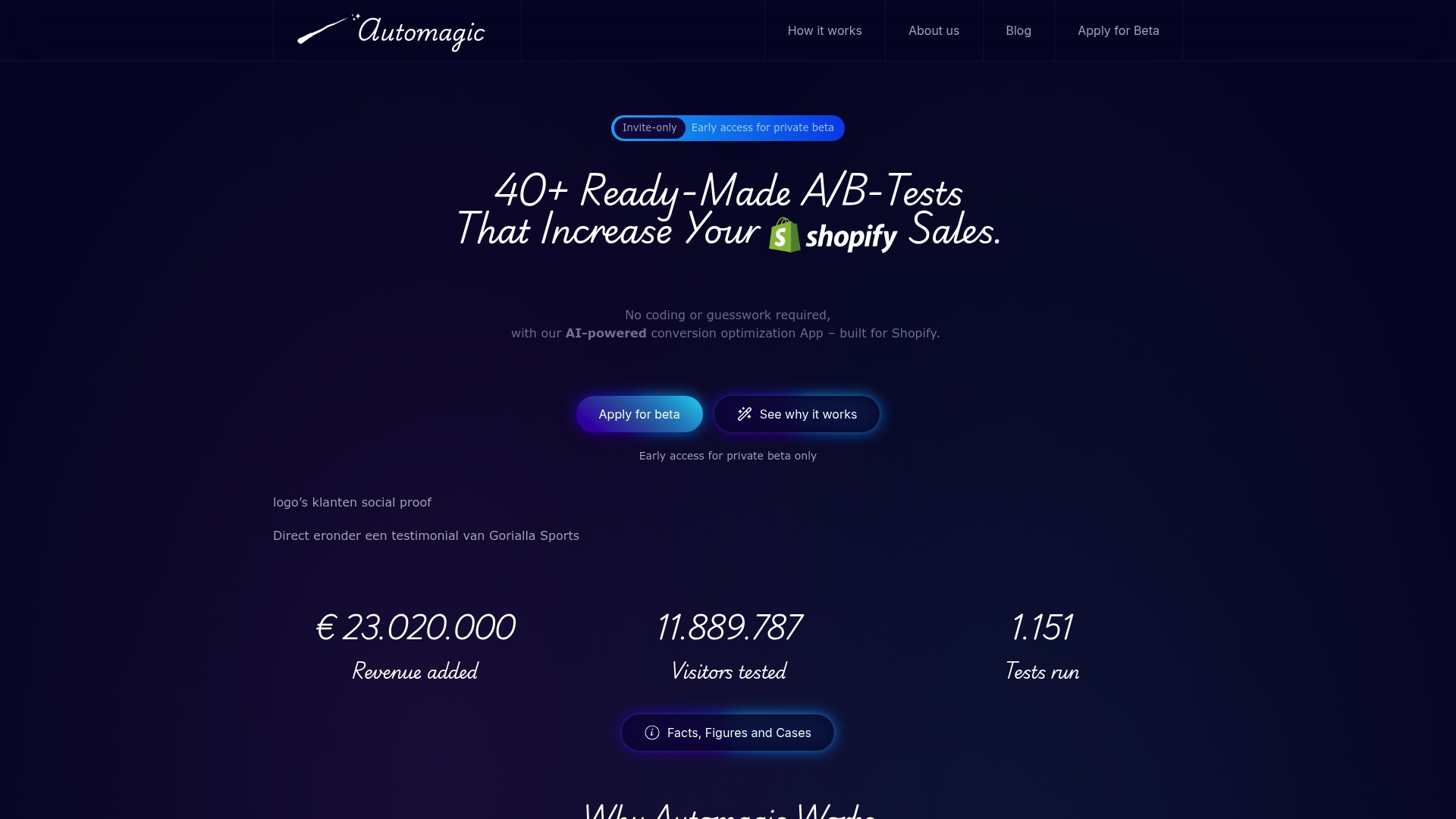
Take the first step toward higher conversion rates today. Visit Automagic.li and discover how effortless it is to install, select, customize, and deploy winning A/B tests without the need for developers. Begin your journey to smarter, faster Shopify sales growth now.
Frequently Asked Questions
How do I assess my Shopify store’s readiness for conversion optimization?
To assess your Shopify store’s readiness, conduct a comprehensive review of key performance indicators such as current conversion rates, average order value, and user experience metrics. Start by analyzing your payment systems and user interface design to ensure they can support advanced optimization tools.
What A/B tests should I choose for maximizing sales conversion?
Focus on selecting A/B tests that target core user interactions, such as product page layouts, checkout processes, and call-to-action buttons. Prioritize tests with the greatest potential impact and simplicity to implement, ensuring they’re aligned with your store’s unique design.
How can I customize A/B test variations using AI recommendations?
After selecting your A/B tests, utilize the AI capabilities of your testing platform to generate tailored test variations based on your store’s current design and user interaction data. Review the AI’s suggestions carefully to ensure they align with your brand identity and enhance the user experience.
What steps should I follow to deploy automated tests on my Shopify store?
To deploy automated tests, prepare your AI-recommended variations and use your testing platform to launch them seamlessly across your store. Ensure that the tests are designed to minimize disruption and focus on key conversion points, monitoring their performance as they run.
How do I analyze the results of my A/B tests effectively?
After completing your A/B tests, analyze the results by examining statistical significance levels and granular metrics. Identify patterns in how different customer segments responded and implement the most impactful variations systematically to improve conversions.
What documentation should I keep after implementing optimizations?
Maintain a structured change log that documents each optimization, including the expected and actual performance impacts. This will help you build a comprehensive knowledge base for future testing and ongoing improvements.