
Conversion Optimization Checklist 2025 for Shopify Success
Running a Shopify store often means juggling product updates, customer questions, and trying to figure out what actually drives more sales. For busy store owners without a technical background, the idea of fine-tuning your store can feel overwhelming. The good news is that AI-driven optimization and A/B testing make it easier than ever to improve conversion rates and grow sales—no coding required. This guide breaks down how to build a reliable foundation, test smart changes with artificial intelligence, and scale what works for revenue growth.
Table of Contents
- Step 1: Set Up Your Shopify Store for Optimization
- Step 2: Implement AI-Powered A/B Testing Variations
- Step 3: Prioritize High-Impact Improvements from Test Library
- Step 4: Customize and Deploy Changes with AI Automation
- Step 5: Verify Results and Scale Successful Strategies
Quick Summary
| Key Insight | Explanation |
|---|---|
| 1. Optimize Your Shopify Store | Set up accurate business details and a clear product catalog to improve credibility and conversion rates. |
| 2. Implement AI-Powered A/B Testing | Use data-driven A/B testing to identify successful variations without manual guesswork. |
| 3. Prioritize High-Impact Tests | Focus on tests that target significant conversion drivers instead of running low-impact tests. |
| 4. Automate Changes Seamlessly | AI automation allows for easy customization and deployment of variations without coding skills. |
| 5. Monitor and Scale Successful Strategies | Once a variation proves effective, scale it across your store and continuously track performance. |
Step 1: Set Up Your Shopify Store for Optimization
Before you can optimize anything, your Shopify store needs a solid foundation. This step involves configuring your store’s basic settings, understanding your audience, and preparing your platform for meaningful data collection. Think of this as building the scaffolding before you paint the house. You need the structure in place first, or all your optimization efforts will rest on shaky ground.
Start by completing your Shopify store profile with accurate business information, contact details, and payment settings. This isn’t just administrative busywork. These details directly impact how search engines index your store and how customers perceive your credibility. Next, set up your product catalog properly. Each product needs clear, compelling descriptions, high-quality images, and accurate pricing. This matters more than you might think because product page optimization directly influences whether visitors become buyers. Take time to organize your product categories logically and ensure your navigation makes sense. A confused customer is a departing customer.
Now focus on the technical foundation. Install Google Analytics 4 to track visitor behavior, and set up conversion tracking to measure what actually matters. You’ll also want to configure your Shopify sales channels, email settings, and customer communication preferences. Don’t skip the security setup either. Enable SSL certificates, configure your domain properly, and set up password protection if you’re running a private store launch. Additionally, understanding how search engine optimization works helps you structure your product pages and content with relevant text and descriptions that appeal to search engines, improving your visibility for potential customers worldwide. Consider adding basic metadata to your product pages and creating descriptive URLs that contain keywords your customers actually search for.
Your store policies matter too. Write clear, concise policies for shipping, returns, and privacy. Customers need to trust you before they pull out their wallets. Set up your shipping zones and rates, establish your refund policy, and make sure your contact page works. These foundational elements signal professionalism and reduce purchase hesitation.
One often-overlooked step is configuring your store notifications. Set up email confirmations for orders, shipments, and customer inquiries. These touchpoints build trust and keep customers informed. Also verify that your checkout process is smooth and mobile-friendly. Most of your traffic likely comes from phones, so test the checkout flow on multiple devices.
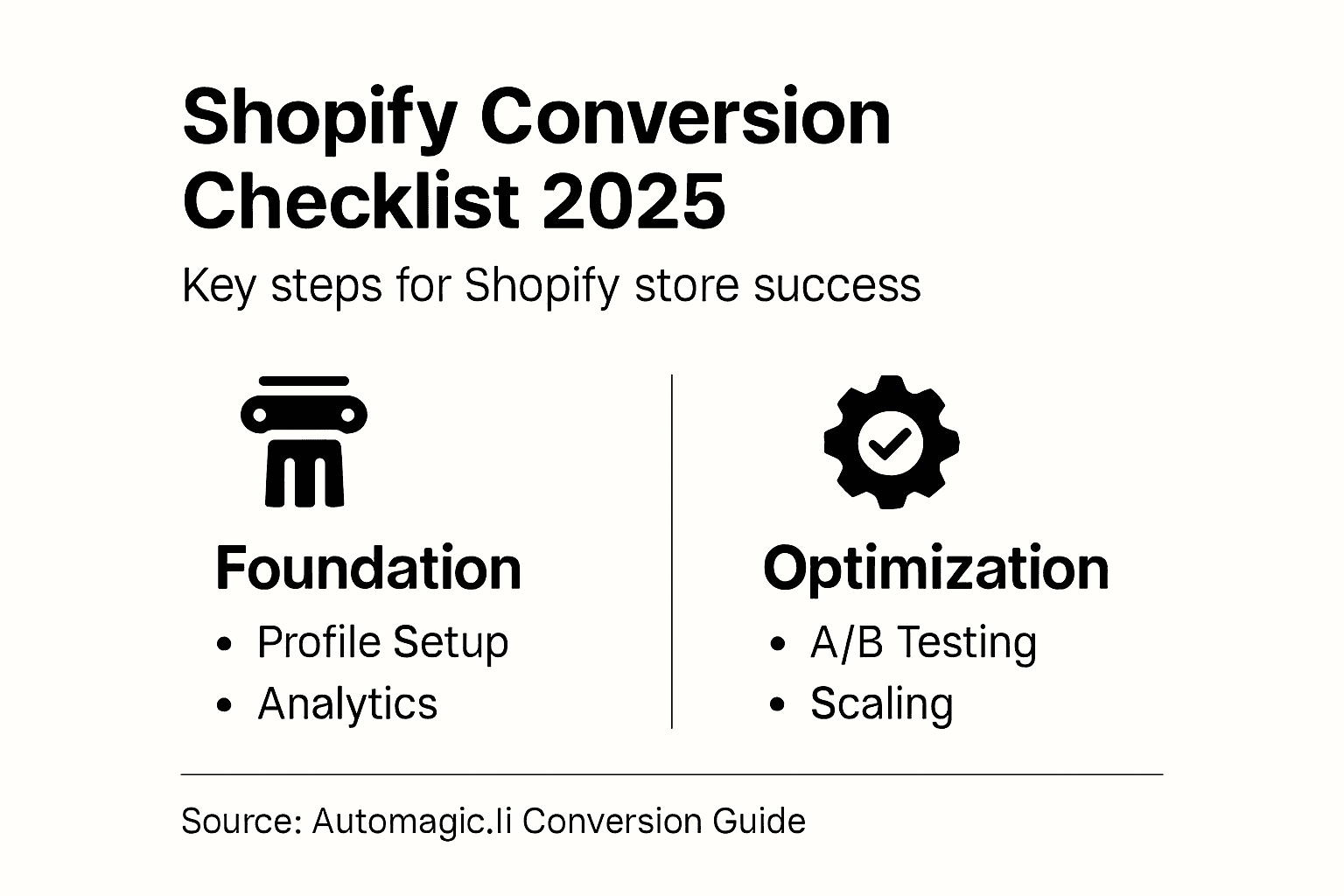
Here’s a summary of key Shopify store foundation elements and their optimization impact:
| Foundation Element | Role in Store Performance | Optimization Impact |
|---|---|---|
| Accurate Business Details | Builds trust and enables payment processing | Boosts credibility, SEO ranking |
| Product Catalog Structure | Helps customers find products easily | Increases conversion rates |
| Technical Tracking Setup | Gathers essential visitor behavior data | Enables data-driven improvements |
| Store Policies | Reduces buyer hesitation and confusion | Lowers abandoned carts |
| Mobile-Optimized Checkout | Ensures smooth purchase on all devices | Maximizes mobile sales potential |
Pro tip: Before you move to optimization testing, run your Shopify store through Google PageSpeed Insights and ensure your pages load in under 3 seconds on mobile devices, as site speed directly impacts both user experience and conversion rates.
Step 2: Implement AI-Powered A/B Testing Variations
Now that your store foundation is solid, it’s time to start testing variations that drive real conversions. AI-powered A/B testing removes the guesswork from optimization by systematically comparing different versions of your store elements to see which performs better. This isn’t about running random tests and hoping something sticks. It’s about using data and intelligent automation to identify what actually moves the needle for your specific audience.
Start by identifying which elements matter most. Your checkout process, product page layouts, call-to-action button colors, product descriptions, and pricing displays all influence whether visitors complete purchases. Rather than testing everything at once, prioritize based on traffic volume and potential impact. A test on your homepage reaches more people than a test buried three layers deep in your navigation. That said, AI-powered A/B testing helps reduce the cost of testing ideas while improving your ability to scale promising variations quickly, making it an efficient way to boost conversions without expensive guesswork.

When you select your first variations to test, think strategically about what might actually change customer behavior. Common variations include testing different headlines on your product pages, comparing button text like “Add to Cart” versus “Buy Now,” adjusting product image layouts, or modifying how you display social proof and reviews. The key is changing one element at a time so you know exactly what drove the result. If you change five things simultaneously and conversions improve, you won’t know which change caused the improvement.
Setting up your tests requires defining clear metrics before you start. Decide what success looks like. Are you measuring add-to-cart rate, checkout completion rate, or average order value? Pick one primary metric and stick with it for each test. Running a test until you reach statistical significance matters too. Don’t stop a test after just a few days because early data is noisy. Most tests need at least one to two weeks of data, ideally across different days of the week, to give you reliable results. AI automation handles this continuous tracking for you, adjusting test delivery in real time based on performance data and ensuring your winning variations get more traffic automatically.
Once your test is live, resist the urge to check results constantly. Tests need time to accumulate enough data. Set a timeline, check back at that point, and let the system run. When your test concludes, implement the winner and move to your next test. This creates a cycle of continuous improvement. Each month, you can run multiple tests on different store elements, compounding your optimization efforts. Over time, these small improvements add up to significant increases in your conversion rate.
The following table compares traditional A/B testing methods with AI-powered A/B testing:
| Aspect | Traditional A/B Testing | AI-Powered A/B Testing |
|---|---|---|
| Test Design | Manual setup required | Automated variation creation |
| Data Analysis | Manual result checking | Real-time automated tracking |
| Speed of Iteration | Slow due to manual work | Fast, continuous optimizations |
| Scalability | Limited by resources | Easily scales across store |
Pro tip: Start with high-traffic areas of your store where even small percentage improvements yield substantial revenue gains, and always test variations that solve a specific customer problem or objection rather than arbitrary design changes.
Step 3: Prioritize High-Impact Improvements from Test Library
You now have access to a test library with multiple proven variations ready to deploy. The question isn’t whether these tests work, but which ones you should run first to maximize your revenue growth quickly. Prioritization is critical because your time and traffic are finite resources. Running low-impact tests wastes both. This step teaches you how to evaluate which improvements deserve your immediate attention based on potential revenue impact, implementation ease, and strategic fit for your store.
Start by understanding what each variation in your test library actually targets. A strong test library organizes variations by impact level and certainty, showing you which tests have historically delivered the biggest conversion improvements. Look for patterns in the data. Tests affecting checkout flow typically show larger conversion rate improvements than tests affecting button styling, simply because more visitors reach checkout than notice a button color change. Tests addressing common objections like shipping costs, product guarantees, or payment options also tend to drive meaningful results. When evaluating evidence-based decisions for high-impact interventions, consider factors like feasibility of implementation and alignment with your store’s unique customer base. Some variations may require theme modifications while others deploy instantly. Fast implementations let you gather results sooner.
Next, rank your test candidates by multiplying their expected impact by the traffic they’ll receive. A test that improves conversion by one percent on your homepage reaches thousands of visitors daily. The same one percent improvement on a deep product page might only affect hundreds of visitors. Do the math. A test affecting one hundred thousand monthly visitors with a projected two percent improvement potential beats a test affecting ten thousand visitors with a five percent improvement potential. The first one moves the needle more. Also consider your current baseline metrics. If your checkout completion rate is seventy percent, improvements here are harder to achieve than improvements on your product page if that conversion rate is only thirty percent.
Implementation sequence matters too. Some stores benefit from testing checkout optimizations first because they affect all products equally. Others should prioritize product page variations if their traffic converts well to product pages but doesn’t finish purchases there. Think about where your specific customers drop off. Review your analytics to identify the biggest leak in your conversion funnel. That’s often your best starting point. You’re playing to your store’s specific weaknesses, not running generic tests.
Don’t overlook seasonal and traffic pattern considerations. If you run a seasonal business, run high-impact tests during your peak season when traffic volume maximizes statistical confidence. A test needs volume to generate meaningful results. Similarly, consider running quick wins alongside ambitious tests. Quick wins are smaller improvements you expect to see results from rapidly, keeping momentum and morale high while longer-running tests gather data.
Pro tip: Start with the three highest-impact tests that directly address your most common customer objections or friction points in the checkout flow, running them simultaneously if you have sufficient traffic to gather reliable results within two weeks.
Step 4: Customize and Deploy Changes with AI Automation
You’ve selected your high-impact test variations. Now comes the part that typically requires hiring a developer. This step walks you through how AI automation customizes test variations to match your store’s unique design and deploys them without touching a single line of code. The beauty of AI-powered deployment is that it removes the technical barrier entirely. Your variations adapt to your theme automatically, then go live on schedule.
When you select a variation to deploy, the AI first analyzes your current store design, theme structure, and existing code. It understands your color schemes, font choices, button styles, and layout patterns. Rather than forcing a generic variation onto your store, the AI customizes the variation to harmonize with your design language. If your store uses a specific shade of blue for calls-to-action, the variation adjusts automatically to match. If your product pages have a particular layout structure, the variation fits naturally into that framework. This customization happens instantly without requiring you to manually adjust anything. You get a variation that looks like it was designed specifically for your store because, in a sense, it was.
Deployment scheduling lets you choose when your test goes live. You might want to launch during peak traffic hours to gather data faster, or perhaps you prefer launching during slower periods to test thoroughly before heavy traffic arrives. Some store owners run tests across different time zones strategically. Set your deployment date and time, and the AI handles everything else. No need to coordinate with developers or worry about technical implementation issues. The variation deploys exactly when you schedule it. Understanding how AI customization and automation integrates with business operations demonstrates the shift from manual implementation to scalable, automated deployments tailored to your specific needs, allowing you to move from testing pilots directly to broad implementation across your store.
Once your variation deploys, the AI monitoring system begins tracking performance automatically. Real-time data flows in, comparing your variation against your control version. You don’t need to manually set up analytics or check conversion rates manually. The system measures everything automatically and alerts you when results reach statistical significance. If your test winner emerges before your planned end date, you can make an early decision to implement the winner and move to your next test. This acceleration compounds over time. Instead of running one test per month, you might run three or four shorter tests per month, each moving you closer to your conversion goals.
Implementing winning variations permanently is equally seamless. Once a variation proves its worth statistically, you flip a switch to make it your new default. The AI handles code updates, ensuring your winning variation becomes permanent across all visitors. Your store now reflects this improvement. The next test then compares potential new winners against this upgraded baseline. Each successive test builds on previous improvements, creating a compounding effect that dramatically increases conversions over months and quarters.
Don’t underestimate the power of this automation. Traditional optimization required developers, multiple stakeholders, scheduling conflicts, and weeks of back-and-forth communication. Now you move from idea to deployment to results in days. This velocity is transformative. You’re not just running more tests. You’re running tests ten times faster than competitors still relying on manual implementation.
Pro tip: Deploy your first variation on a Tuesday or Wednesday morning to gather a full week of data before the weekend traffic patterns skew your results, ensuring more statistically reliable comparisons.
Step 5: Verify Results and Scale Successful Strategies
Your test has run its course and data has accumulated. Now you need to determine whether your variation actually won or if the results are just noise from random fluctuation. This step teaches you how to interpret test results with confidence, identify true winners, and then scale successful variations across your entire store. Scaling means taking what worked and amplifying its impact by implementing it permanently or expanding it to related areas of your store.
Start by understanding statistical significance. This is the difference between a test showing a two percent improvement by luck versus a genuine two percent improvement you can rely on. Most platforms automatically calculate this for you, showing a confidence level or significance percentage. Look for at least ninety-five percent confidence before declaring victory. That means there’s only a five percent chance your result happened randomly. Some store owners wait for ninety-nine percent confidence for particularly important tests, especially if the improvement seems marginal. Don’t fall into the trap of stopping a test early just because you see promising initial results. Early data is misleading. Wait for your predetermined end date or until you reach clear statistical significance, whichever comes first. Using evidence-based decision-making to verify outcomes ensures you scale strategies that demonstrate genuine success rather than acting on false positives.
When you have a winner, document what changed and why you think it won. Did the new button color drive more clicks because it created better contrast? Did new product descriptions work because they addressed specific customer fears? Understanding the mechanism behind your win helps you apply that learning to other tests. If addressing shipping concerns improved conversions on one product page, addressing shipping on all product pages might deliver similar gains. This is how you scale strategically rather than randomly. You’re not just implementing one winning variation. You’re identifying the principle it represents and applying that principle broadly across your store.
Next, decide your scaling approach. Some variations become permanent immediately. Others you might test further in different contexts. A winning checkout button color should probably roll out to your entire store. A winning product page layout might warrant testing on different product categories before full rollout. Consider your implementation timeline too. Scaling everything simultaneously risks overwhelming your systems or creating confusion if something unexpected happens. Rolling out winners gradually across different product categories or customer segments lets you monitor impact carefully. You also gather additional data proving the variation works consistently across different contexts.
Monitor performance after scaling. Winners don’t always stay winners when implemented at full scale. Occasionally a variation that boosted conversions on your homepage actually hurt conversions when applied to product pages due to different user behavior patterns. Track your key metrics for at least one full week after rollout to catch any surprises. Most variations perform consistently, but monitoring protects you against rare anomalies. Once you confirm performance remains strong at scale, move on to your next test. Translating strategy into actionable priorities with continuous monitoring ensures you maintain the agility to adapt and expand successful strategies efficiently, allowing your optimization efforts to compound month after month.
Create a simple log documenting each test you run, what you tested, what won, and what revenue impact you achieved. After running dozens of tests, patterns emerge. Certain types of variations consistently outperform others on your specific store. Certain customer segments respond differently to changes than others. This institutional knowledge becomes invaluable. You’re building a proprietary optimization playbook based on your actual data, not generic best practices from the internet.
Pro tip: After confirming a winner at scale, immediately queue up your next test comparing the winning variation against a new challenger variation rather than reverting to your original control, ensuring continuous compounding improvements month after month.
Accelerate Your Shopify Success with AI-Driven Conversion Optimization
Building a solid foundation and running effective A/B tests can feel overwhelming when you seek real Shopify growth. This article highlights common challenges like setting up reliable tracking, prioritizing high-impact tests, and deploying changes without a developer. If you struggle to identify what truly moves your conversion needle or spend too much time waiting for results, you are not alone. The key is applying strategic, data-backed improvements through AI-powered automation that adapts perfectly to your unique store design.
At Automagic.li, we empower Shopify store owners to break through these barriers with ease. Our platform offers a curated library of over 40 proven test variations, prioritized for maximum impact and certainty. Using AI customization, these tests automatically tailor themselves to your store’s look and feel—no coding or developer help needed. This seamless process lets you deploy high-impact improvements faster while continuously scaling winning strategies based on reliable data, exactly as explained in the conversion optimization checklist.
Ready to stop guessing and start growing? Explore how AI-powered A/B testing can turn your Shopify store into a conversion machine today. Visit Automagic.li now to access your test library, automate deployments, and confidently scale proven improvements that deliver measurable revenue gains.
Frequently Asked Questions
What are the key elements in the Shopify conversion optimization checklist for 2025?
The key elements include setting up a solid store foundation, implementing AI-powered A/B testing, prioritizing high-impact improvements, customizing and deploying changes efficiently, and verifying results to scale successful strategies. Begin by reviewing each element carefully to ensure your store is fully optimized for conversions.
How can I effectively set up my Shopify store for optimization?
To set up your Shopify store for optimization, complete your store profile with accurate business details, organize your product catalog, and install tracking tools like Google Analytics 4. Focus on creating clear policies and a mobile-friendly checkout process, as these foundational elements significantly enhance user experience and trust.
What strategies should I use for AI-powered A/B testing?
When using AI-powered A/B testing, select specific elements to test, such as product page layouts or call-to-action button colors. Change one element at a time, define clear success metrics, and let the test run for at least one to two weeks to gather reliable data before making decisions based on statistical significance.
How do I prioritize which improvements to implement first?
Prioritize improvements by evaluating their potential revenue impact, ease of implementation, and alignment with your store’s specific customer journey. Rank tests based on expected improvement and traffic volume, focusing first on areas where you see the most drop-off in your conversion funnel.
What steps should I take after a test concludes?
After a test concludes, verify results for statistical significance and document what changed and why the variation won. If confirmed successful, implement the winning variation across your store and consider running further tests based on the principles learned to continuously improve conversions.
How can I scale successful strategies effectively?
To scale successful strategies, document results and apply the winning variations consistently while monitoring performance after implementation. Roll out changes gradually to ensure consistency in conversion rates, and keep testing new variations regularly to maintain momentum in your optimization efforts.