
Shopify Apps Explained: Boosting Store Performance
Every American Shopify store owner knows the frustration of investing in new apps only to feel overwhelmed by technical details. Juggling promotions, customer service, and complex integrations can drain your time and kill conversion rates. The good news is that over 80 percent of Shopify merchants report increased sales after implementing simple A/B testing solutions. Discover how AI-powered, pre-configured app strategies can help you tap into higher sales without technical headaches.
Table of Contents
- What Are Shopify Apps And How They Work
- Types Of Shopify Apps For Store Owners
- Key Features And Integration Process
- Costs, Security, And Common Risks
- Choosing The Right Shopify Apps
Key Takeaways
| Point | Details |
|---|---|
| Shopify Apps Enhance Store Functionality | Shopify apps provide vital tools for marketing, operations, customer experience, and analytics, boosting overall ecommerce performance. |
| Straightforward Integration Process | Store owners can easily install apps via the Shopify App Store, minimizing technical expertise required for enhancements. |
| Consider Costs and Security Risks | It’s important to evaluate pricing models and potential security vulnerabilities when selecting apps to protect your business. |
| Choose Apps Strategically | Assess compatibility, performance, user reviews, and business needs to ensure selected apps align with operational goals. |
What Are Shopify Apps and How They Work
Shopify apps are powerful digital tools designed to extend and enhance the functionality of online stores within the Shopify ecosystem. According to Forbes, these applications integrate seamlessly through Shopify’s APIs, enabling merchants to customize their storefronts without requiring advanced coding skills.
At their core, Shopify apps serve multiple critical functions for ecommerce businesses. They provide specialized solutions across various operational domains, including:
- Marketing automation
- Payment processing
- Inventory management
- Customer communication
- Analytics and reporting
- Shipping and fulfillment
These applications work by connecting directly to a store’s backend infrastructure, allowing store owners to add sophisticated features without complex development processes. Whether you need advanced email marketing tools, sophisticated product recommendation engines, or streamlined inventory tracking, Shopify apps offer plug-and-play solutions that can dramatically improve store performance.
The integration process is remarkably straightforward. Store owners can browse the Shopify App Store, select applications that match their specific needs, and install them with just a few clicks. Most apps are designed for easy implementation, requiring minimal technical expertise and providing immediate functionality enhancements.
Pro tip: Before installing any Shopify app, always review user ratings, check compatibility with your current store setup, and verify the app’s performance metrics to ensure it meets your specific business requirements.
Types of Shopify Apps for Store Owners
Shopify apps are categorized into several specialized types designed to address different aspects of ecommerce operations. Exploring ways to increase sales reveals the critical role these applications play in modern online retail strategies. These apps can be broadly classified into key functional categories that help store owners optimize their digital businesses.
Marketing and Sales Apps represent the most dynamic segment of Shopify applications. These tools focus on driving customer engagement and revenue generation through:
- Email marketing automation
- Social media integration
- Abandoned cart recovery
- Discount and promotion management
- Customer loyalty programs
- Referral tracking systems
Operational Efficiency Apps streamline backend processes and help store owners manage complex ecommerce workflows. These include inventory management systems, shipping and fulfillment tools, accounting integrations, and advanced reporting platforms that provide deep insights into store performance.
Customer Experience Apps are designed to enhance user interactions and improve overall shopping experiences. These applications offer features like live chat support, product recommendation engines, customer review management, personalized shopping experiences, and advanced search functionalities that help convert browsers into buyers.

Financial and Analytics Apps provide critical business intelligence, helping store owners make data-driven decisions. These tools offer comprehensive reporting, revenue tracking, expense management, and advanced predictive analytics that enable more strategic business planning.
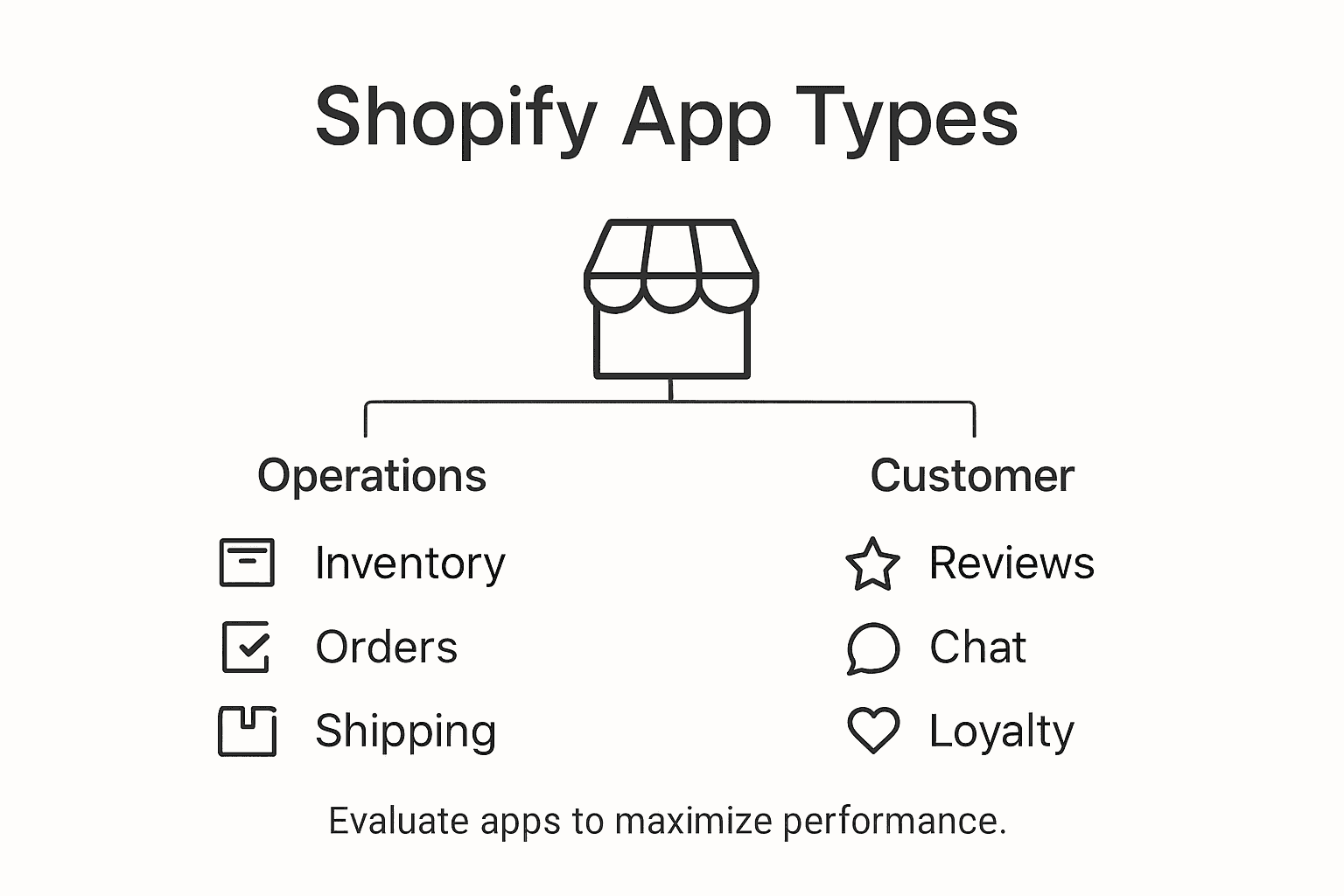
Here’s a summary of major Shopify app categories and their business impact:
| App Category | Key Benefit | Typical Use Case |
|---|---|---|
| Marketing & Sales | Boosts customer acquisition | Automated promotions and referrals |
| Operational Efficiency | Streamlines processes | Inventory and order automation |
| Customer Experience | Enhances shopping journey | Personalized search and support |
| Financial & Analytics | Supports business strategy | Revenue and expense tracking |
Pro tip: Always test apps with free trials and carefully evaluate their performance metrics, integration capabilities, and user reviews before making a long-term commitment to ensure they genuinely add value to your Shopify store.
Key Features and Integration Process
Shopify app integration represents a sophisticated process that connects external applications to your online store’s ecosystem. Detailed integration strategies reveal the nuanced approach required for seamless functionality. The integration process involves multiple critical steps designed to ensure smooth data exchange and optimal performance.
The core technical foundation of Shopify app integration relies on robust API connectivity. Shopify’s application development framework emphasizes several key technical requirements for successful integration:
- OAuth 2.0 authentication protocols
- Secure encrypted data transmission
- Real-time webhook updates
- Compatibility with Admin and Storefront APIs
- Cross-device performance optimization
- Scalable data synchronization mechanisms
The actual integration process typically follows a structured workflow. Store owners first authorize app access through Shopify’s official marketplace or direct API connections. This authorization establishes secure communication channels, allowing apps to interact with store data while maintaining strict security standards. Developers must implement comprehensive error handling and data validation to prevent potential system disruptions.
Successful Shopify app integration demands careful consideration of performance implications. Each app must demonstrate minimal latency, robust security protocols, and seamless functionality across different store configurations. This requires thorough testing, ongoing performance monitoring, and continuous optimization to ensure the app enhances rather than hinders the store’s operational efficiency.
Pro tip: Prioritize apps with transparent performance metrics, clear documentation, and demonstrated compatibility with your specific Shopify store configuration to minimize potential integration challenges.
Costs, Security, and Common Risks
Shopify app investments require careful consideration of both financial implications and potential security vulnerabilities. Understanding security breaches and their prevention reveals critical insights into protecting your online business ecosystem.
The cost structure for Shopify apps typically follows several pricing models:
Use this comparison of Shopify app pricing models and associated risks to make informed decisions:
| Pricing Model | Potential Risk | Long-Term Consideration |
|---|---|---|
| Free | Limited features | May need upgrades |
| Subscription | Ongoing monthly costs | Predictable, scalable |
| Per-transaction | Variable expenses | Can impact profit margins |
| Custom/Enterprise | Higher upfront investment | Tailored, advanced solutions |
- Free basic versions with limited functionality
- Monthly subscription tiers
- Per-transaction fee models
- Custom enterprise pricing for advanced solutions
- Freemium models with optional premium upgrades
Security Risks represent a significant concern for store owners. Over 60% of potential breaches exploit unpatched system vulnerabilities, making comprehensive security assessment crucial. Critical risk areas include:
- Inadequate permission management
- Poor access control protocols
- Insufficient data encryption
- Potential unauthorized API interactions
- Vulnerability to phishing attempts
- Unmonitored third-party integrations
Mitigating these risks demands a proactive approach. Store owners should implement robust security measures such as two-factor authentication, regular security audits, and continuous monitoring of app performance and access permissions. Choosing apps from verified Shopify partners and maintaining updated systems can significantly reduce potential security threats.
Financial considerations extend beyond initial app costs. Store owners must evaluate the potential return on investment by analyzing how specific apps contribute to increased efficiency, sales conversion, and overall operational performance. Some apps might have higher upfront costs but deliver substantial long-term value through advanced features and automation capabilities.
Pro tip: Always conduct a comprehensive security and cost-benefit analysis before installing any Shopify app, focusing on verifiable performance metrics and potential risk mitigation strategies.
Choosing the Right Shopify Apps
Selecting the ideal Shopify apps requires a strategic approach that balances functionality, performance, and business objectives. Exploring optimization strategies reveals the critical importance of carefully evaluating potential app integrations that can transform your online store’s performance.
When evaluating potential Shopify apps, store owners should consider several key assessment criteria:
- Compatibility: Ensure seamless integration with existing store infrastructure
- Performance Impact: Analyze potential speed and functionality improvements
- User Reviews and Ratings: Examine real-world experiences from other store owners
- Developer Reputation: Research the app developer’s track record and support quality
- Specific Business Needs: Match app features with precise operational requirements
- Pricing Structure: Evaluate total cost of ownership and potential return on investment
The selection process demands a methodical approach. Begin by conducting a comprehensive audit of your store’s current operational gaps and performance limitations. Identify specific areas where technological solutions could streamline processes, enhance customer experience, or drive sales growth. Compare multiple apps within each functional category, paying close attention to feature depth, integration complexity, and potential scalability.
Technical considerations play a crucial role in app selection. Look beyond surface-level features and investigate the app’s underlying architecture, update frequency, customer support responsiveness, and long-term development roadmap. Apps that demonstrate consistent improvement, robust security protocols, and responsive customer service typically provide more reliable long-term value for your Shopify store.
Pro tip: Create a detailed scoring matrix that objectively evaluates potential apps across multiple dimensions, including functionality, cost, user experience, and strategic alignment with your specific business goals.
Unlock Your Shopify Store’s Full Potential with AI-Powered Optimization
Managing multiple Shopify apps to boost marketing, customer experience, and sales can feel overwhelming without clear insights on what truly works. This article highlights the challenge of integrating powerful tools while maintaining smooth store performance and security. At Automagic.li, we understand the pain points of navigating complex app ecosystems and the need for data-driven decisions to increase conversion rates without technical hurdles.
Automagic.li offers a game-changing solution by providing over 40 ready-made, AI-powered A/B tests designed specifically for Shopify stores. These tests require no coding knowledge and automatically adapt to your store’s design. This means you can optimize key areas such as customer engagement and operational flow with confidence and ease, avoiding the costly trial-and-error of third-party apps.
Discover how to reduce guesswork and accelerate your store’s growth today. Explore Automagic.li and see how our platform complements your existing Shopify app strategy by delivering measurable results fast.
Ready to transform your Shopify store’s performance with proven AI-driven tests?
Start optimizing now with Automagic.li, the smart choice for Shopify store owners who want quick, effective growth without development headaches.
Frequently Asked Questions
What are Shopify apps?
Shopify apps are digital tools that enhance the functionality of online stores on the Shopify platform. They help merchants customize their stores for improved performance in areas like marketing, payment processing, inventory management, and customer communication.
How do I integrate a Shopify app into my store?
Integrating a Shopify app involves browsing the Shopify App Store, selecting the desired app, and installing it with just a few clicks. Store owners need to authorize app access, which establishes a secure connection to their store’s data.
What types of Shopify apps are available for store owners?
Shopify apps can be categorized into various types, including Marketing & Sales Apps, Operational Efficiency Apps, Customer Experience Apps, and Financial & Analytics Apps, each designed to optimize different aspects of ecommerce operations.
How can I determine if a Shopify app is right for my store?
Consider several factors when evaluating a Shopify app, including compatibility with your current setup, performance impact on your store, user reviews, developer reputation, specific business needs, and pricing structure to ensure it aligns with your goals.
Recommended
- Explaining Shopify Apps: Boosting Your Store’s Success – Automagic
- 7-Step Shopify Conversion Checklist for Store Growth – Automagic
- Shopify Optimization Strategies: Maximize Store Conversions – Automagic
- 7 Effective Ways to Increase Sales for Shopify Stores – Automagic
- How to Boost Online Sales for Ecommerce Success