
How to Increase Conversion Rate for Shopify Stores Easily
Over 60 percent of American online shoppers abandon their carts before checkout, costing Shopify store owners valuable sales. If technical barriers hold you back from improving your conversion rates, automated A/B testing can make optimization accessible even for those without coding skills. Discover how simple strategies and smart tools can help you set up your store, test winning ideas, and maximize revenue without advanced tech expertise.
Table of Contents
- Step 1: Set Up Your Shopify Store for Optimization
- Step 2: Select High-Impact A/B Test Variations
- Step 3: Deploy AI-Powered Tests Without Coding
- Step 4: Monitor Results and Analyze Key Metrics
- Step 5: Implement Winning Changes to Drive Growth
Quick Summary
| Main Insight | Detailed Explanation |
|---|---|
| 1. Analyze Your Store Layout | Review your homepage, product pages, and checkout process for design flaws that could hinder conversions. |
| 2. Select Effective A/B Tests | Choose test variations that focus on key elements like layouts and calls-to-action for maximum user impact. |
| 3. Utilize No-Code AI Testing | Employ AI-powered testing tools to enhance conversion optimizations without needing programming skills. |
| 4. Monitor Key Performance Metrics | Regularly track metrics like conversion rate and customer lifetime value to evaluate your store’s effectiveness. |
| 5. Implement Proven Changes | Apply successful test variations strategically to improve user experiences and conversion rates in your store. |
Step 1: Set Up Your Shopify Store for Optimization
Preparing your Shopify store for conversion optimization requires strategic planning and smart configuration. Successful optimization begins with understanding your current performance and setting up the right foundation for data-driven improvements. Shopify Optimization Strategies can help you transform your online store into a high-converting sales machine.
The first critical step involves analyzing your current store design and user experience. Start by examining your homepage, product pages, and checkout process through a conversion lens. Look for potential friction points that might discourage customers from completing purchases. This means checking page load speeds, ensuring mobile responsiveness, streamlining navigation, and creating clear product descriptions. Pay special attention to your visual elements. High-quality product images, intuitive layout, and compelling call-to-action buttons can significantly impact your conversion rates.
Configuration is key to setting up an optimization-ready Shopify store. Enable Google Analytics to track user behavior, set up conversion tracking, and create custom events that help you understand customer interactions. Consider installing reputable conversion tracking apps that provide deeper insights into user journeys and potential drop-off points.
Pro tip: Conduct a quick user testing session with friends or colleagues to get unbiased feedback on your store’s design and navigation before launching comprehensive optimization efforts.
Step 2: Select High-Impact A/B Test Variations
Selecting the right A/B test variations can dramatically transform your Shopify store’s conversion performance. The goal is to identify and implement strategic changes that meaningfully improve user experience and drive sales. Shopify A/B Testing Basics provides excellent insights into this critical optimization process.
Understanding how to select high-impact test variations requires a systematic approach. A/B testing enables rapid optimization by comparing a standard model to an optimized version, focusing on key elements that directly influence customer behavior. When choosing variations to test, concentrate on critical conversion elements such as product page layouts, call-to-action button designs, pricing displays, and checkout process configurations. Look for opportunities where small changes can yield significant improvements. For instance, testing button color, headline wording, image placement, or product description formatting can reveal surprising insights about what motivates your specific customer base.
Successful A/B testing demands a methodical selection process. Prioritize variations based on potential impact, ease of implementation, and alignment with your store’s unique customer profile. Develop clear hypotheses about why a particular variation might perform better, and ensure you have robust tracking mechanisms in place to measure results accurately. Statistical significance is crucial when evaluating test outcomes, so plan to run tests long enough to gather meaningful data.

Pro tip: Start with variations that require minimal technical effort but have potentially high conversion impact, such as changing button colors, adjusting headline text, or repositioning key product information.
Step 3: Deploy AI-Powered Tests Without Coding
Deploying AI-powered tests without coding knowledge represents a game changing approach for Shopify store owners looking to optimize conversions quickly and efficiently. AI in A/B Testing offers revolutionary solutions that eliminate technical barriers for ecommerce optimization.
No-code AI test automation democratizes quality assurance by enabling users without programming skills to create, run, and maintain automated tests using intuitive visual interfaces. This means you can implement sophisticated testing strategies without writing a single line of code. Modern AI platforms provide user friendly interfaces where you can select elements to test, define variations, and let artificial intelligence handle the complex backend processes. Focus on choosing meaningful test variations such as product page layouts, call to action button designs, or checkout flow configurations that can potentially increase your conversion rates.
Successful deployment requires a strategic approach. Start by identifying key performance indicators you want to improve. Select an AI powered testing platform that integrates seamlessly with Shopify, offers intuitive drag and drop interfaces, and provides robust analytics. Look for features like automatic variation generation, statistical significance tracking, and machine learning algorithms that can suggest optimizations based on your store’s unique customer behavior.
Here is a quick comparison of traditional versus AI-powered A/B testing approaches for Shopify stores:
| Approach | Setup Complexity | Speed of Insights | Required Technical Skills |
|---|---|---|---|
| Traditional A/B Testing | Moderate to High | Slower, manual analysis | Coding or specialist needed |
| AI-Powered, No-Code | Low, intuitive setup | Fast, automated reporting | No coding knowledge needed |
Pro tip: Begin with low risk, high impact test variations that require minimal technical effort, such as adjusting button colors or headline text, to build confidence in your AI testing strategy.
Step 4: Monitor Results and Analyze Key Metrics
Monitoring and analyzing A/B test results is crucial for transforming data into actionable insights that drive your Shopify store’s conversion strategy. Shopify Analytics Explained provides essential tools for understanding your performance metrics.
Key Shopify conversion metrics include overall conversion rate, average order value, customer lifetime value, bounce rate, and mobile versus desktop performance. These metrics offer a comprehensive view of your store’s performance and customer behavior. When analyzing test results, look beyond simple win or lose scenarios. Pay attention to nuanced insights such as how different customer segments respond to variations, time spent on page, and micro conversions that indicate engagement. Segment your data by traffic source, device type, and customer demographics to uncover more profound optimization opportunities.
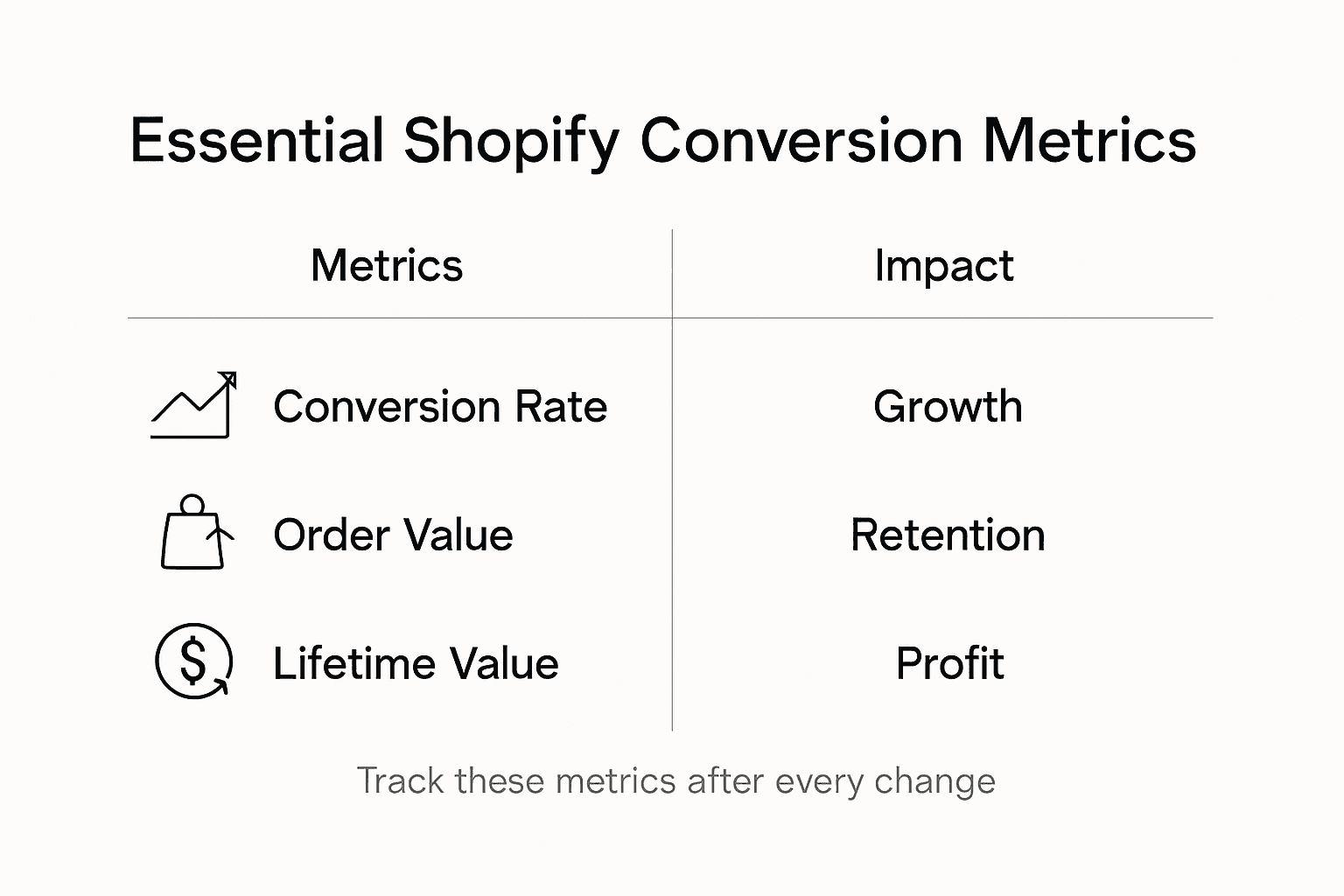
These are essential Shopify conversion metrics store owners should monitor:
| Metric | What It Measures | Business Impact |
|---|---|---|
| Conversion Rate | Purchases vs. total visitors | Gauge store effectiveness |
| Average Order Value | Average revenue per transaction | Helps identify up-sell opportunities |
| Customer Lifetime Value | Total value from a customer | Reflects loyalty and retention |
| Bounce Rate | Visitors leaving after one page | Indicates possible user experience issues |
| Mobile vs. Desktop Split | Device-specific performance | Directs responsive design improvements |
To effectively interpret your results, establish a consistent analysis routine. Set clear statistical significance thresholds typically around 95% confidence level before declaring a winner. Create a systematic approach to documenting test insights, including what was tested, the hypothesis, results, and potential future optimizations. Use visualization tools to make complex data more digestible, helping you communicate findings with your team and make informed decisions about future store improvements.
Pro tip: Create a dedicated spreadsheet to track each A/B test, recording key metrics, statistical significance, and insights to build a comprehensive optimization knowledge base for your Shopify store.
Step 5: Implement Winning Changes to Drive Growth
Implementing winning changes is about strategically applying the insights gained from your A/B testing to create meaningful improvements in your Shopify store. Conversion Rate Optimization Workflow provides a structured approach to transforming test results into tangible growth strategies.
Successful growth strategies for Shopify stores involve leveraging advanced technologies and strategic app integrations to optimize marketing, sales, and customer experience. Begin by prioritizing changes with the most significant potential impact. This means implementing variations that showed statistically significant improvements in conversion rates, average order value, or customer engagement. Focus on changes that directly address user friction points uncovered during your testing phase. These might include refining product descriptions, adjusting call to action button designs, streamlining checkout processes, or improving mobile responsiveness.
Carefully roll out your winning variations with a measured approach. Start by implementing changes on a small scale, monitoring performance closely, and being prepared to make further refinements. Use your analytics tools to track the impact of each change, comparing new performance metrics against your baseline measurements. Remember that optimization is an ongoing process continuous testing and incremental improvements will help you stay ahead of evolving customer preferences and market trends.
Pro tip: Document each implemented change with specific before and after metrics to build a comprehensive optimization playbook for your Shopify store.
Unlock Effortless Conversion Growth for Your Shopify Store
The challenge of increasing conversion rates without technical hurdles is clear. This article highlights key pain points like navigating A/B test variations, deploying AI-powered tests without coding, and making sense of complex data to improve sales. If you want to move beyond slow manual testing and complicated setups, it is time to embrace a smarter, faster solution. Automagic.li offers a library of over 40 high-impact, pre-tested A/B variations that require no coding. Our AI customizes tests directly for your unique Shopify store design, eliminating guesswork and developer dependence.
Imagine optimizing your product pages, call-to-action buttons, and checkout flow with ease while seeing real-time, statistically significant insights – all through one intuitive platform. By choosing Automagic.li, you join countless Shopify store owners accelerating growth with data-driven decisions and AI automation.
Ready to transform your store like the experts? Discover how to deploy tests without code and start boosting your conversion rates today.
Experience the power of hassle-free Shopify optimization now. Visit Automagic.li and begin selecting your winning A/B tests from our ready-made library. Take full control of your conversion strategy without technical barriers or delays.
Frequently Asked Questions
How can I analyze my Shopify store’s current performance?
To analyze your Shopify store’s current performance, start by examining your homepage, product pages, and checkout process for friction points. Utilize tools like Google Analytics to track user behavior and identify areas for improvement within the next few weeks.
What elements should I focus on when selecting A/B test variations?
Focus on critical conversion elements such as product page layouts, call-to-action button designs, and checkout process configurations. Begin by testing variations that require minimal effort but could potentially yield high conversion impact, such as changing button colors or headline text.
How can I deploy AI-powered tests if I have no coding skills?
You can easily deploy AI-powered tests without coding by using no-code automation platforms with visual interfaces. Select a user-friendly testing platform that integrates with Shopify, and start testing key elements within your store immediately.
What key metrics should I monitor after implementing A/B tests?
After implementing A/B tests, monitor metrics such as conversion rate, average order value, and customer lifetime value. Regularly review these metrics over a two-month period to gain deeper insights into customer behavior and track the effectiveness of your changes.
How do I implement the winning changes from my A/B tests?
To implement winning changes, prioritize those with statistically significant improvements and address user friction points. Start by rolling out changes on a small scale, then monitor performance metrics for at least 30 days before making additional adjustments to ensure continued growth.
Recommended
- 7-Step Shopify Conversion Checklist for Store Growth – Automagic
- Conversion Rate Optimization Workflow for Shopify Success – Automagic
- Conversion Metrics Explained: Driving Shopify Sales Success – Automagic
- Conversion Funnel Optimization Steps for Shopify Success – Automagic
- Understanding Conversion Rate Optimization: Boosting Sales – ApusNest Blog | ApusNest
- What Is Amazon Conversion Rate? Definition, Benchmarks & Tips